<div align="center">
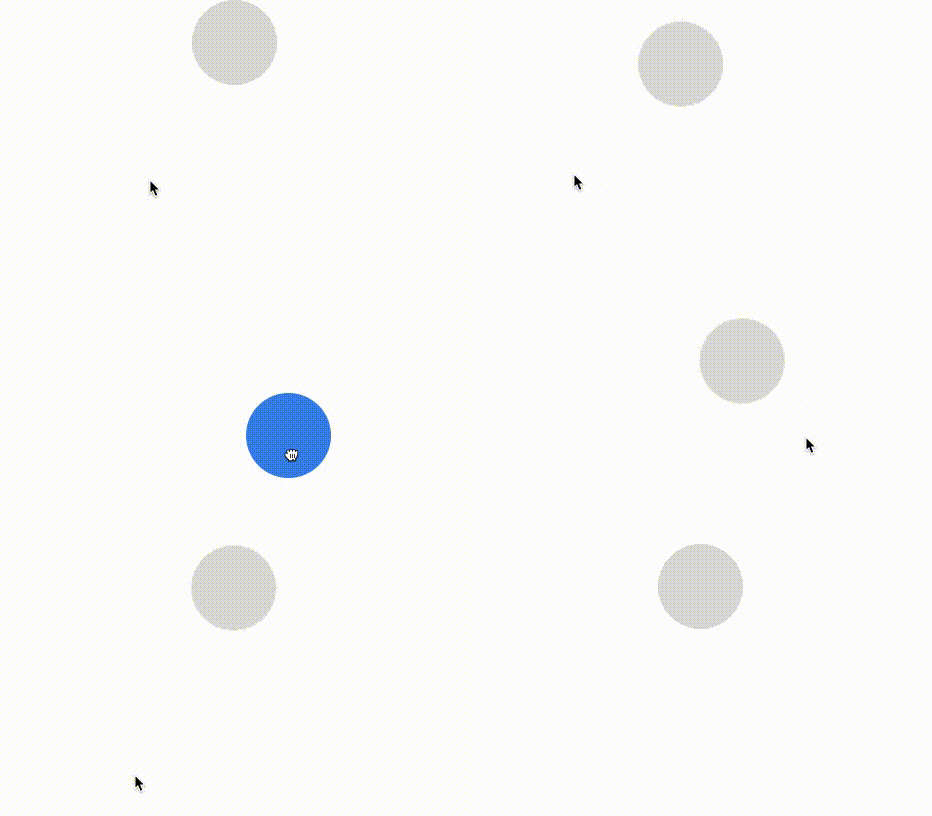
     <img 
    max-width="300px"
    alt="A demo showing a ball being pulled around, released, and animating back into place."
     src="https://raw.githubusercontent.com/bmcmahen/react-gesture-responder/master/demo.gif"><br />

# react-gesture-responder

[![npm package](https://img.shields.io/npm/v/react-gesture-responder/latest.svg)](https://www.npmjs.com/package/react-gesture-responder)

[![Follow on Twitter](https://img.shields.io/twitter/follow/benmcmahen.svg?style=social&logo=twitter)](https://twitter.com/intent/follow?screen_name=benmcmahen)

</div>

`react-gesture-responder` offers a gesture responder system for your react application. It's heavily inspired by [react-native's](https://facebook.github.io/react-native/docs/gesture-responder-system.html) pan-responder. It's built for use in [Sancho-UI](https://github.com/bmcmahen/sancho).

## Features

- **The ability to delegate between multiple overlapping gestures.** This means that you can embed gesture responding views within eachother and provide negotiation strategies between them.
- **Simple kinematics for gesture based animations.** Values including distance, velocity, delta, and direction are provided through gesture callbacks.
- **Integrates well with [react-spring](react-spring.io) to create performant animations**.
- **Built with react-gesture-responder:** [react-gesture-view](https://github.com/bmcmahen/react-gesture-view), [touchable-hook](https://github.com/bmcmahen/touchable-hook), [sancho-ui](https://github.com/bmcmahen/sancho).

## Getting started

Install into your react project using yarn or npm.

```
yarn add react-gesture-responder
```

The example below demonstrates how it can be used in conjunction with `react-spring`.

```jsx
import { useSpring, animated } from "react-spring";
import { useGestureResponder } from "react-gesture-responder";

function Draggable() {
  const [{ xy }, set] = useSpring(() => ({
    xy: [0, 0]
  }));

  const { bind } = useGestureResponder({
    onStartShouldSet: () => true,
    onRelease: onEnd,
    onTerminate: onEnd,
    onMove: ({ delta }) => {
      set({
        xy: delta,
        immediate: true
      });
    }
  });

  function onEnd() {
    set({ xy: [0, 0], immediate: false });
  }

  return (
    <animated.div
      style={{
        transform: xy.interpolate((x, y) => `translate3d(${x}px, ${y}px, 0)`)
      }}
      {...bind}
    />
  );
}
```

## API

Only one responder can be active at any given time. The `useGesture` hook provides callbacks which allow you to implement a negotiation strategy between competing views.

- `onStartShouldSet: (state, e) => boolean` - Should the view become the responder upon first touch?
- `onMoveShouldSet: (state, e) => boolean` - This is called during any gesture movement on the view. You can return true to claim the responder for that view.
- `onStartShouldSetCapture: (state, e) => boolean` - The same as above, but using event capturing instead of bubbling. Useful if you want a parent view to capture the responder prior to children.
- `onMoveShouldSetCapture: (state, e) => boolean`.
- `onTerminationRequest: (state) => boolean`. - Should we allow the responder to be claimed by another view? This is only called when a parent `onMoveShouldSet` returns true. By default, it returns true.

By default, if a parent and child both return true from `onStartShouldSet` the child element will claim the responder.

Once a responder is claimed, other callbacks can be used to provide visual feedback to the user.

- `onGrant: (state, e) => void` - called when the view claims the responder, typically corresponding with `mousedown` or `touchstart` events.
- `onMove: (state, e) => void`
- `onRelease: (state, e) => void` - corresponds with `mouseup` or `touchend` events.
- `onTerminate: (state) => void` - called when the responder is claimed by another view.

```js
const { bind } = useGestureResponder(
  {
    onStartShouldSet: state => true,
    onStartShouldSetCapture: state => false,
    onMoveShouldSet: state => false,
    onMoveShouldSetCapture: state => false,
    onTerminationRequest: state => true,
    onGrant: state => {},
    onRelease: state => {},
    onTerminate: state => {},
    onMove: state => {}
  },
  {
    uid: "a-unique-id",
    enableMouse: true
  }
);
```

`state` contains the following values:

```js
export interface StateType {
  time: number;
  xy: [number, number];
  delta: [number, number];
  initial: [number, number];
  previous: [number, number];
  direction: [number, number];
  initialDirection: [number, number];
  local: [number, number];
  lastLocal: [number, number];
  velocity: number;
  distance: number;
}
```

## Prior art

- [react-native-web](https://github.com/necolas/react-native-web/blob/master/packages/react-native-web/src/vendor/react-native/PanResponder/index.js)
- [react-with-gesture](https://github.com/react-spring/react-use-gesture) for some of the kinematics.
